
Recover RAID Data
Recover files from RAID arrays with DiskInternals RAID Recovery™ for Windows — software trusted by IT professionals and forensic specialists for 22 years.
When a RAID array fails, the safest first step is to identify what actually broke: the RAID layer, the file system, the controller, or one of the physical disks. In many cases, recovering data from RAID is still possible, but the order of actions matters.
Best Practices For RAID Recovery
- Read-only checks Always start with read-only operations to protect your data from overwriting.
- Avoid forced rebuilds Never force a rebuild on your original RAID, as it can cause permanent data loss.
- Save recovered data separately The original RAID disks should remain untouched throughout the recovery workflow.
What RAID Recovery Is
RAID (Redundant Array of Independent Disks) recovery is a specialized process used to restore data from a storage system that uses multiple hard drives working together. Unlike a single hard drive, a RAID setup distributes data across several disks to improve performance and reliability.
- A RAID controller fails, making the array inaccessible.
- One or more hard drives in the array fail beyond the fault tolerance level.
- Accidental formatting or deletion of the RAID volume occurs.
- RAID configuration parameters are lost or corrupted.
- Operating system errors or virus attacks affect the array.
- A rebuild process fails or gets interrupted.
Comparison of Recovery Options
The right recovery path depends on how stable the RAID array and member disks are.
| Option | Best for | Read/write behavior | Complexity | Data safety |
|---|---|---|---|---|
| Free DiskInternals RAID Recovery tool | Simple cases where the array consists of 2 drives. Download this free RAID recovery tool — it already includes free recovery and export of files from 2-disk RAID arrays | Read-only safe scanning with export to another location | Low to moderate | Absolutely safe, read-only access to the original data |
| Paid DiskInternals RAID Recovery software | Inaccessible RAID volumes, damaged metadata, lost partitions, unknown disk order, and broader file system recovery | Low to moderate | ||
| Professional DiskInternals RAID Recovery Service | Remote online service | High |
DiskInternals RAID Recovery™ is a practical software-based path when the disks can still be connected, imaged, or read safely. If the drives are physically unstable or multiple RAID members have failed, stop and contact a professional recovery service before continuing.
Outstanding Features
Fully Automated Wizard
Automatically detects the RAID type, disk order, and block size without requiring manual technical input.
Advanced File Preview
View documents, photos, and databases before recovery to ensure the integrity of the data.
Virtual RAID Reconstruction
Creates a virtual copy of your array to extract files without writing a single byte to the original disks.
Universal File System Support
Supports NTFS, ReFS, FAT, exFAT, Ext2/3/4, XFS, HFS+, APFS, and ZFS file systems.
Pro-Level Assistance
Access to DiskInternals specialists for remote assistance in highly complex recovery scenarios.
NAS & SAN Support
Specific algorithms for Synology, QNAP, ASUSTOR, and Buffalo NAS devices.
Supported RAID Types and Recovery Scenarios
- Formatted RAID logical volume
- Inaccessible RAID volume
- Lost partition table
- Missing or corrupted RAID metadata
- RAID member disk not recognized
- Degraded RAID array
- Controller failure
- Incorrect disk order
- Unknown stripe size
- Files missing after rebuild
If your RAID technology is not listed, contact DiskInternals support before making changes to the array.
Common Mistakes to Avoid
Why Rebuild Attempts Can Make Recovery Harder
When a RAID array is degraded or failed, users often attempt a “rebuild” using hardware or software tools. If the failure is due to a faulty or out‑of‑sync disk, rebuilding will write new parity data across all disks. Using the wrong drive order or incorrect parameters can permanently overwrite the original data structure, making professional recovery impossible.
When to Stop and Use a Professional Service
If you notice unusual noises (clicking or grinding) from hard drives or multiple drives with hardware failures, stop immediately. Power down the system and contact a professional lab service. DiskInternals RAID Recovery™ can handle logical failures, controller failures, and accidental deletions when the physical media is still functional.
How to Recover Data from a RAID Array
-
Connect your RAID disks
Connect all hard drives from the RAID array directly to your PC as independent disks (via SATA or USB adapters).
-
Launch DiskInternals RAID Recovery™
The software will automatically scan all connected drives and attempt to identify the RAID configuration.
-
Select the Virtual RAID
Once detected, the RAID will appear as a single disk. Double-click it to start the file scanning process.
-
Preview and Save
Preview the found files for free. If the files are correct, purchase a license to export them to a safe location.
Scan for Lost Partitions and Files
If the RAID volume no longer opens normally, the file system may be damaged or the partition table may be missing.
DiskInternals RAID Recovery™ can scan the reconstructed virtual array for:
- lost partitions
- deleted files
- formatted volumes
- damaged file system structures
- missing folders
- database files
- documents, photos, videos, archives, and multimedia files
Do not run file system repair tools on the original array before recovery. If repair is needed, it should happen only after imaging and only when the array structure is understood.
Handle RAID 10 and Other Common Configurations
RAID 10 recovery depends on both mirroring and striping. The correct member order and pair structure matter.
For RAID 10, RAID 0+1, RAID 50, RAID 60, and other nested arrays:
- connect all available member disks
- identify failed or missing members
- avoid controller rebuilds until the configuration is clear
- let the software detect the layout automatically where possible
- switch to manual reconstruction if the detected order is wrong
- preview the files before exporting
If one member from a mirror pair is damaged, recovery may still be possible from the healthy member. If both members of the same mirror pair are damaged, stop and request professional help.
How to Install and Start the RAID Recovery™ Software
- Download RAID Recovery™ for Windows. Free Download — RAID Recovery™
- Install the software on a healthy Windows system. Supported systems: Windows 7–11 and Windows Server 2003–2025.
- Connect the RAID member disks, clones, or disk images.
- Launch RAID Recovery™.
- Choose the RAID disks or mounted images.
- Run the RAID Wizard.
- Preview the recoverable files.
- Export the files after licensing.
Ensure Your RAID Is Configured Correctly
Use our RAID Calculator to understand your array configuration and find the best recovery approach. It’s advanced, accurate, and can save you valuable time before starting data recovery.
Need deeper control? Switch to the Geek RAID calculator for advanced options, detailed overhead insights, and full fault‑tolerance breakdowns.
- 1. Pick Your Disk Size: Start by deciding how large each drive will be. Common options include 4 TB, 8 TB, 12 TB, 16 TB, 20 TB, 24 TB, or even 30 TB. You can also enter a custom size if needed.
- 2. Choose How Many Drives: Next, select the total number of disks you want in the array. Each time you click a drive size (like 4 TB or 8 TB), you’re adding another disk. The number of drives you use directly affects both performance and fault tolerance, depending on the RAID level.
- 3. Select Your RAID Level: From the “Select Type” menu, choose the RAID level you’d like to test. Options include RAID 0, 1, 1E, 4, 5, 5R, 5EE, 6, 10, 0+1, 50, 50r, and 60. Each level balances speed, redundancy, and storage efficiency differently. Once you calculate, you’ll see the specific characteristics of the level you picked.
Guided Recovery Service
Not sure that you can perform RAID recovery on your own?
DiskInternals specialists can help analyze the current state of the RAID array, disks, controller, and file system. This is useful when the array is unstable, the disk order is unknown, or the first scan does not show the expected files.
Guided Recovery Service is especially useful for:
- damaged RAID controllers;
- complex RAID layouts;
- degraded arrays;
- disk images that need manual reconstruction;
- RAID arrays with missing or conflicting metadata;
- cases where software scans show incomplete results.
Screenshots of RAID Recovery
The step-by-step recovery wizard will make the process simple, clear and efficient.
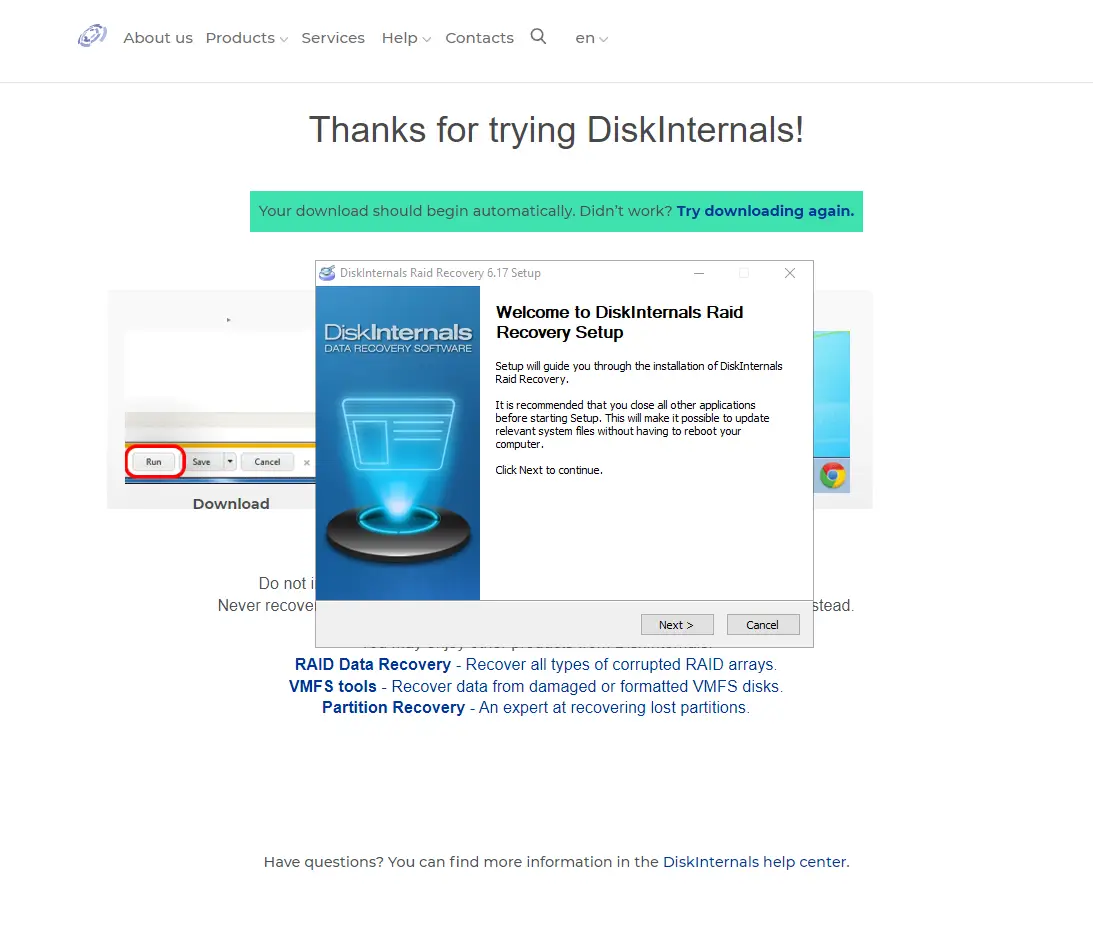
To start download RAID Recovery and begin recovery process:
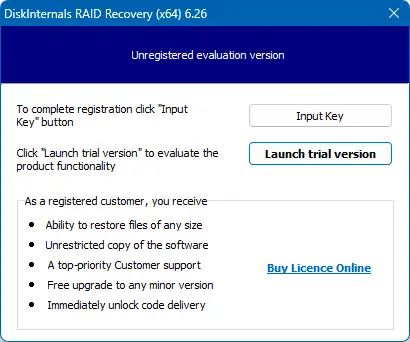
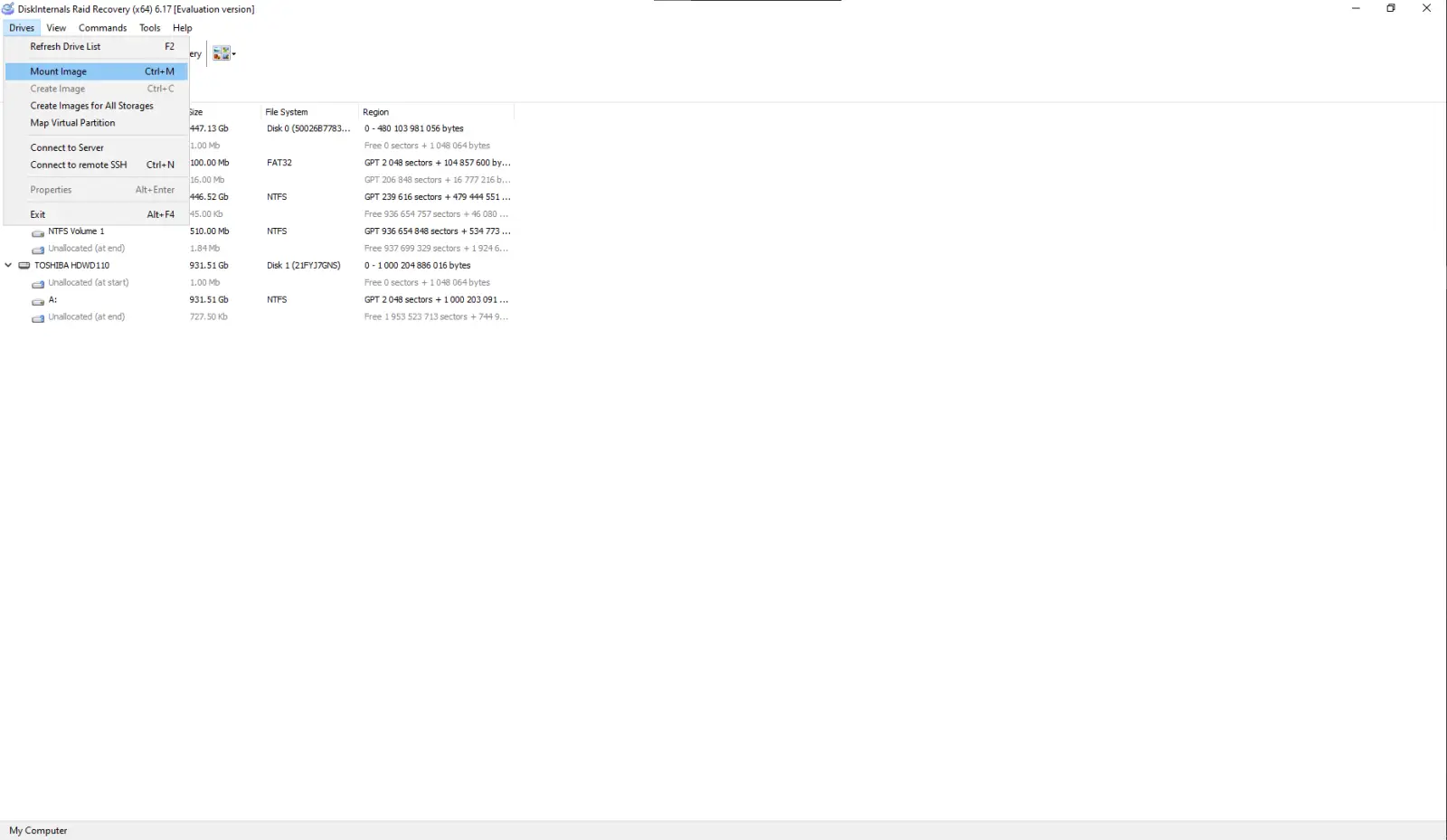
RAID Wizard will be automatically loaded. You may add additional disks image by clicks "Drives" - "Mount Image" or skip that step:
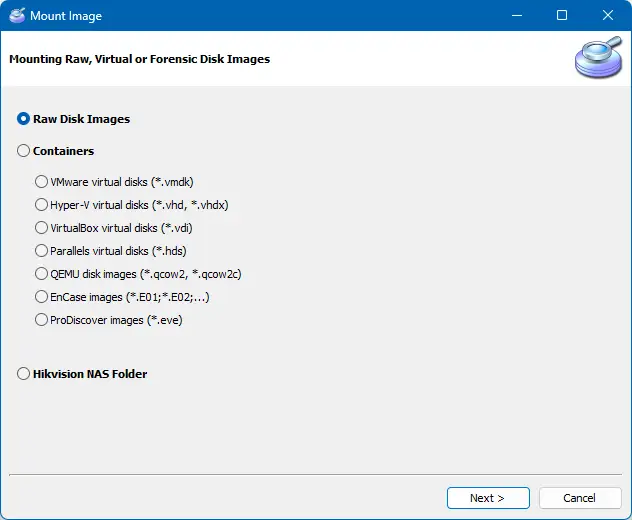
Run RAID Recovery Wizard
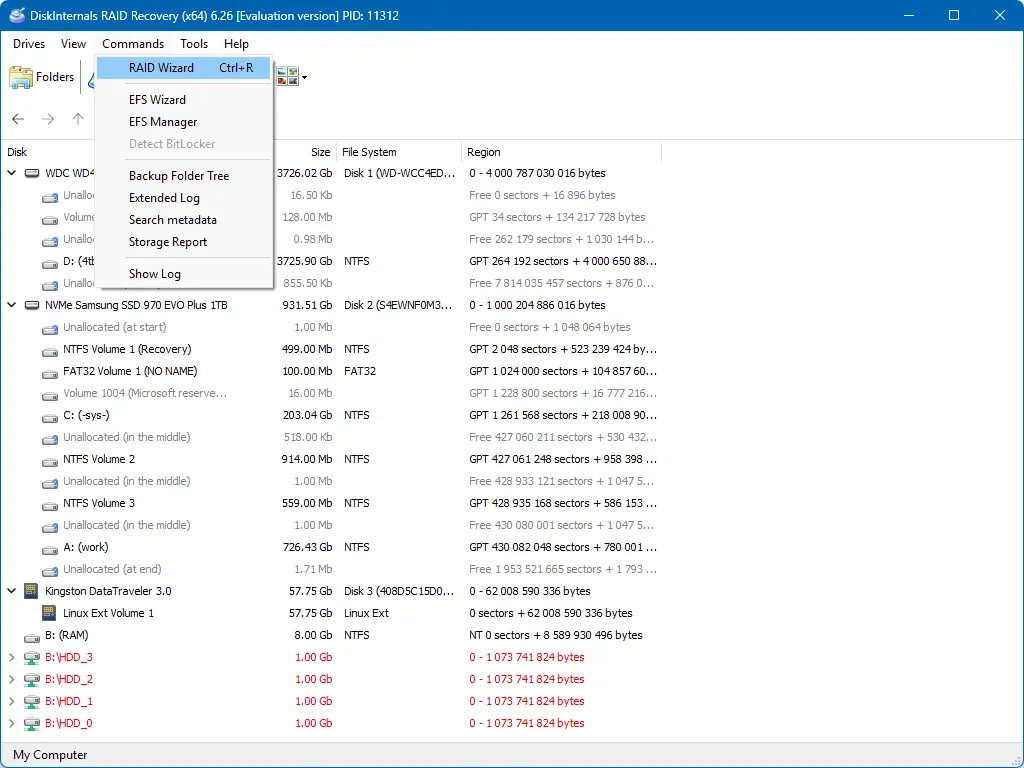
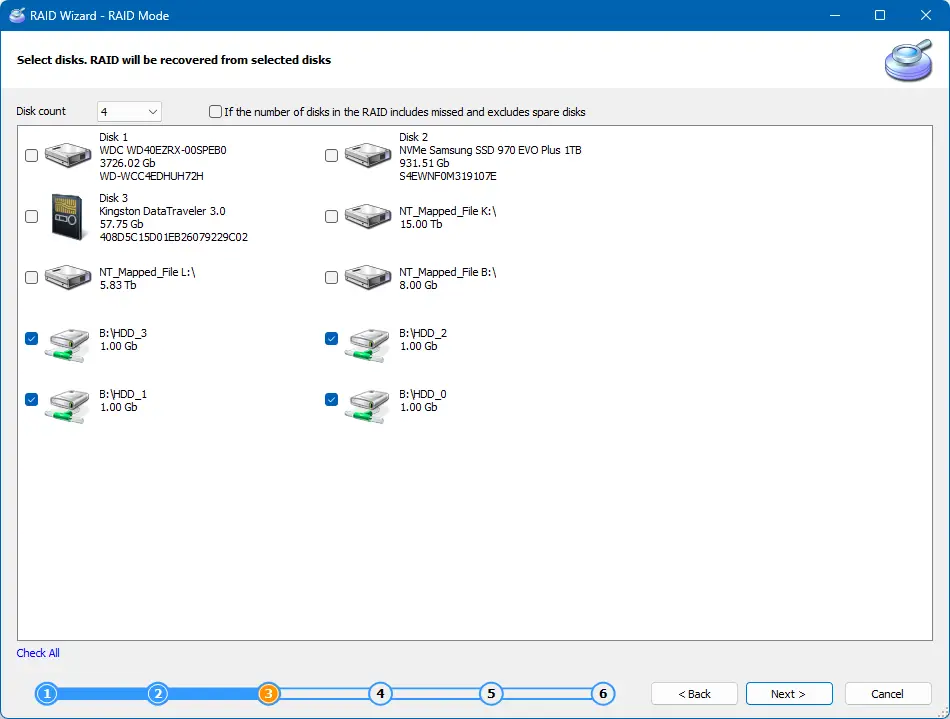
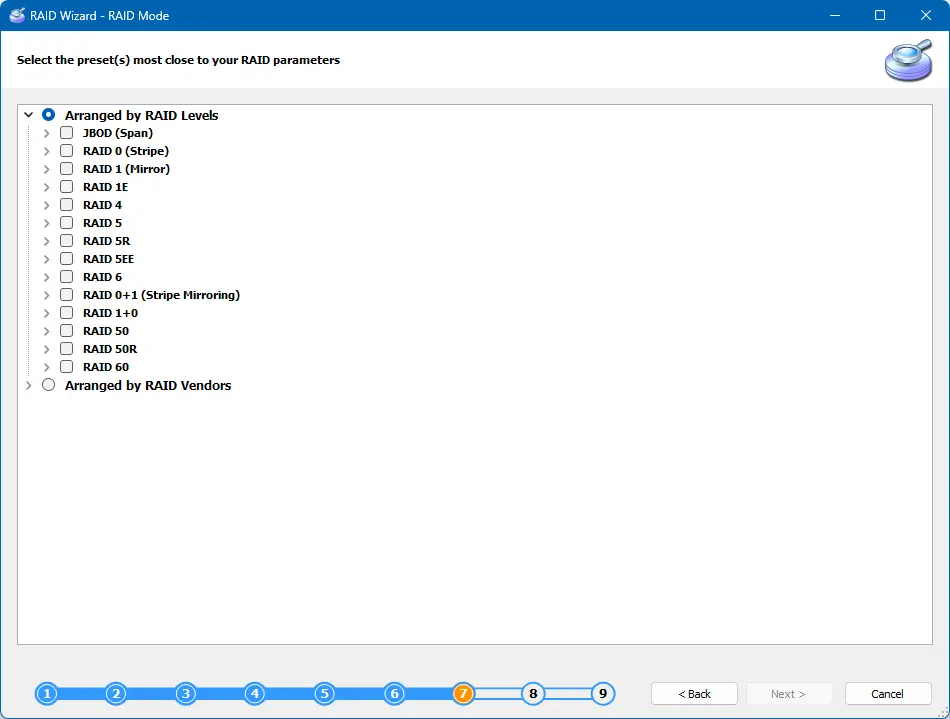
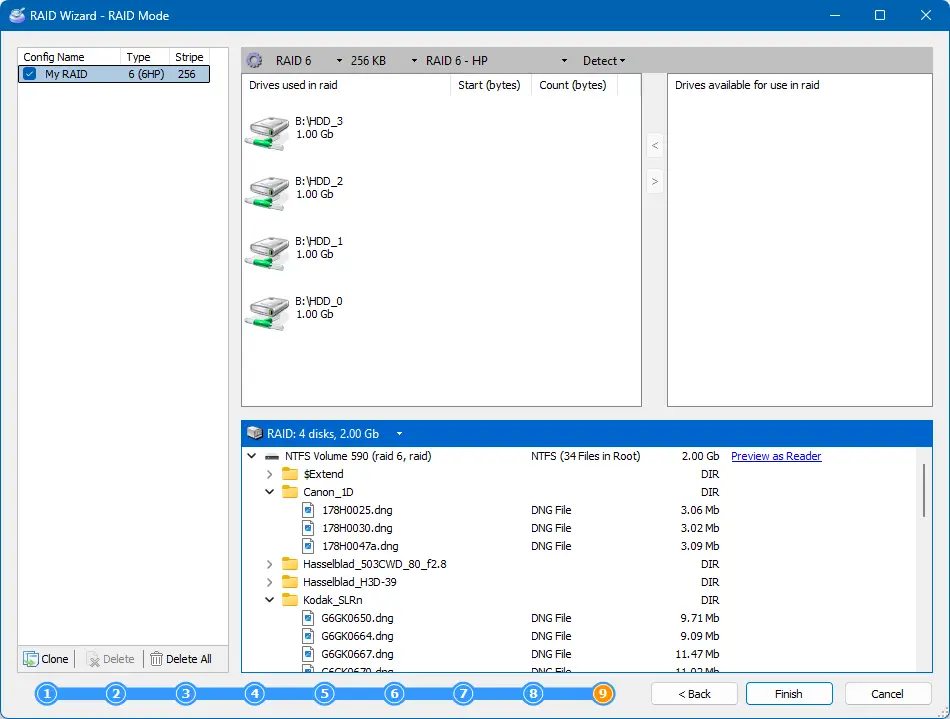
In the end of these steps you will get a reconstructed RAID, which can be opened. Recovered RAID Arrays are marked with red. Select the magic hat named "Wizard" and select the RAID you just reconstructed.
Choose the file system that was on your RAID. Disk scanning can take a while.
When the scan is complete, you are welcome to preview files.
Frequently Asked Questions
-
🔶 Does the battery or power issue lead to a RAID failure?Yes, this is harmful to your RAID. RAID disk configuration is stored on the controller. Usually, the RAID's controller has an additional battery; and if there is no power issue and the battery is low, RAID configuration will be lost. If you need to recover data after a RAID failure, use RAID Recovery Software by DiskInternals.
-
🔷 Is the RAID's controller damaged?This situation may lead to data loss. Using DiskInternals RAID Recovery, you can rebuild the damaged RAID disk and extract your data. If your RAID's controller is damaged and you need to recover data, use RAID Recovery Software by DiskInternals.
-
🔶 Was the RAID logical volume formatted?Using RAID Recovery, you can restore data from the formatted logical volume. If you need to recover data after RAID logical volume was formatted, use RAID Recovery Software by DiskInternals.
-
🔷 Is the RAID Volume inaccessible?If you are facing such problems as an inaccessible RAID Volume, you can use RAID Recovery to open it.
-
🔶 Is the RAID disk not recognized?In this case, disassemble RAID and attach every disk as separate. Restore the RAID array with DiskInternals RAID Recovery.
-
🔷 Need to repair a software or hardware RAID?Disassemble the RAID and attach every disk separately. Restore the RAID array with DiskInternals RAID Recovery. RAID Recovery is an irreplaceable tool for hardware or software RAID repair.
-
🔶 Is one of the RAID disks dead?If one of the RAID disks is dead, data still can be restored with RAID Recovery.
Related articles
data recovery from RAID?